INDONESIA BRAIN
Empowering Young Learners
Designing an Intuitive Learning Management System Dashboard to Increase Engagement and Enhance Learning Outcomes
Client
Indonesia Brain
as Product Designer @ Sagara Tech
Platform
Responsive Website
My Role
Product Designer
Tools
Figma, Google Meet
Timeframe
3 Months
Introduction
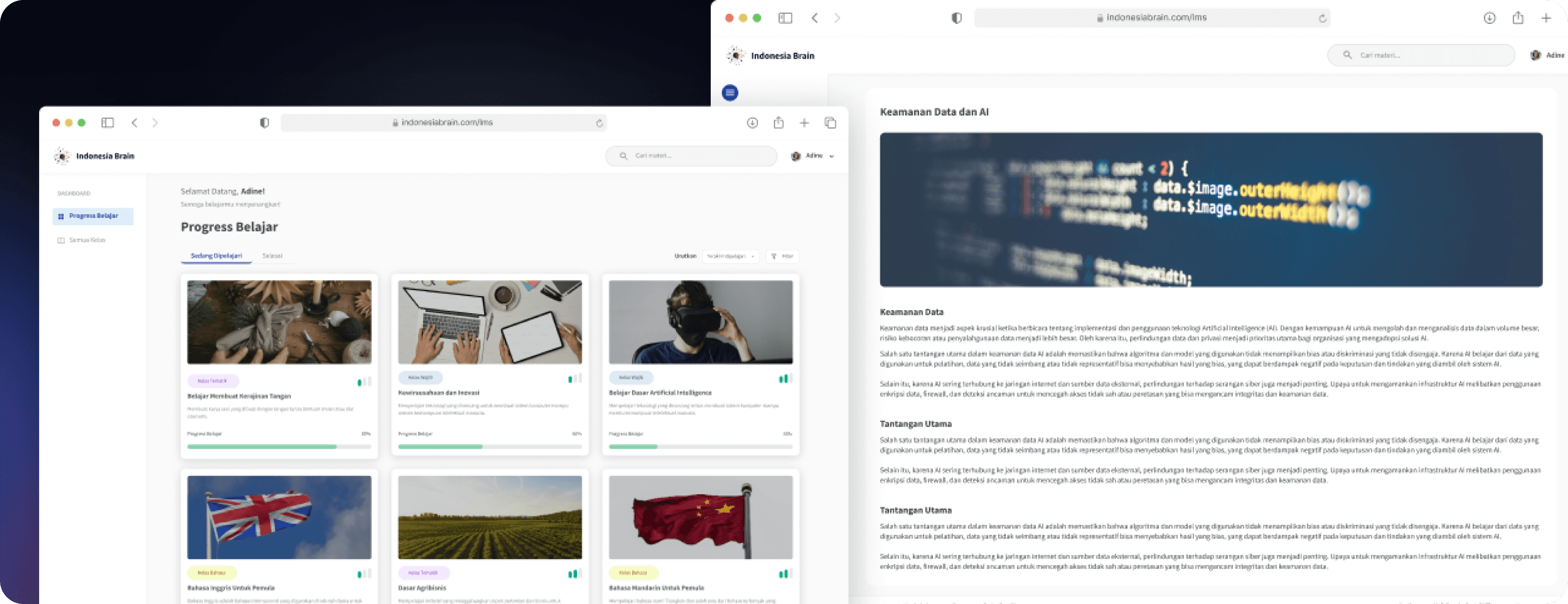
Indonesia Brain is a non-profit organization that focuses on technology, business, and public policy research. One of its products is a learning management system catered for middle to high school students.
A diverse range of lessons is offered, including technology, language, entrepreneurship, and specialized subjects.
Project Objective
Design a new MVP of learning management system platform that focus on user engagement and learning effectiveness. The learning management system aims to streamline students’ learning journey with intuitive navigation.
01 / Product & Desk Research
Beyond traditional academic settings, students are increasingly engaging in supplemental educational courses to cultivate specialized skill sets. The skills includes technology, language, business and many more.
To address the growing demand for accessible and effective supplemental education, Indonesia Brain is developing a specialized learning platform for middle and high school students, in alignment with its research and development objectives. Indonesia Brain established strategic partnerships with educational institutions to provide supplementary educational content to their students.
PROJECT REQUIREMENT & SCOPE
Working with stakeholders primarily in the educational sectors and non-governmental organizations.
Business Objectives
Enhance brand reputation
Drive sustainable growth
Increase course completion
Stakeholder Goals - Students
Gain access to engaging and effective learning resources.
Develop relevant skills for future academic and professional success.
Stakeholder Goals - Teachers
Access tools to enhance teaching effectiveness and personalize learning.
Gain access to high quality learning materials.
Stakeholder Goals - Partner Schools
Improve the educational outcomes of their students.
Enhance their school's reputation as an innovator in education.
Constraints
User adoption and training constraints.
Technical constraints.
My Responsibilites
Overseeing the overall product design process
Communicating design decisions to stakeholders
02 / Define
So... Who are the primary users of this LMS platform?
This LMS serves a diverse user base and presented a unique opportunity beyond traditional classroom settings.

*photo for illustration purpose only
Name: Arya Pratama
Age: 16
Occupation: High school student
Location: Bandung, Indonesia
Description
Arya is a high school student in Bandung. He's motivated but sometimes struggles to stay focused, especially with online learning. He's interested in technology, especially AI, and entrepreneurship, and hopes to start his own business one day. He’s also interested in learning other languages, such as German and French.
Needs & Wants
Engaging and interactive learning content.
Easy access to resources and materials.
Clear feedback on his progress.
Pain Points
Difficulty staying motivated during online lessons.
Struggling to find relevant resources quickly.
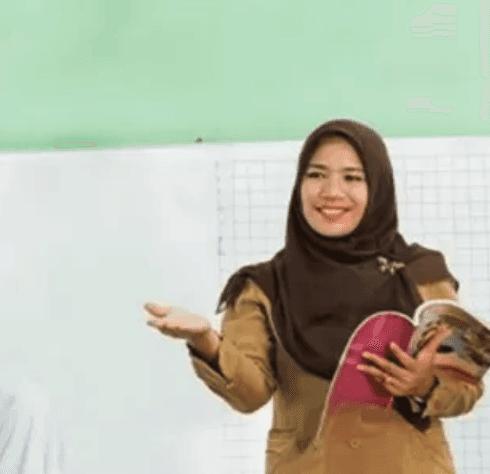
*photo for illustration purpose only
Name: Dewi Sari
Age: 32
Occupation: High school teacher
Location: Bandung, Indonesia
Description
Dewi is a dedicated teacher with 6 years of experience. She's passionate about helping her students succeed but finds it challenging to keep up with the latest technology. She wants to use technology to enhance her teaching but needs user-friendly tools.
Needs & Wants
Easy-to-use tools for creating and delivering lessons.
Access to high-quality educational resources.
A reliable and stable platform.
Pain Points
Difficulty managing student engagement.
Struggling to find relevant and up-to-date resources.
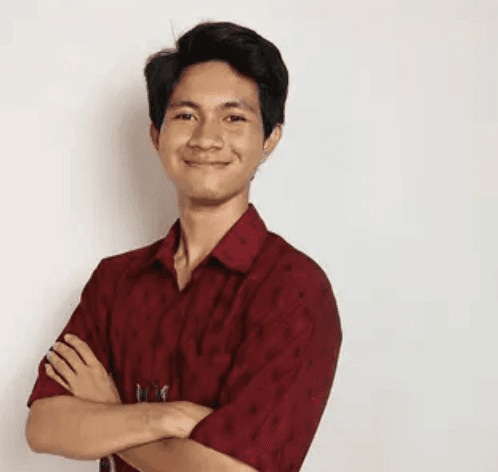
*photo for illustration purpose only
Name: Rangga Prasetya
Age: 29
Occupation: Learning Designer
Location: Bandung, Indonesia
Description
Rangga is a learning designer, responsible for managing the courses on the platform. He's tech-savvy and detail-oriented. He needs to ensure that the platform is running smoothly and that the courses are up-to-date and relevant.
Needs & Wants
Easy-to-use tools for creating and managing courses.
Ability to easily update and maintain course content.
A secure and scalable platform.
Pain Points
Time-consuming processes for updating and maintaining courses.
03 / Ideate
Here, we exploring potential solutions for our various range of users in the educational sector, adhering to user needs and pain points. This involved a collaborative process of generating, refining, and prioritizing ideas, ultimately shaping the core features and functionality.
How might we
make online learning more engaging and interactive for middle and high school students?
How might we
enhance students course completion and keeping middle and high schools students interested and engaged in the courses?
How might we
help teachers to access high-quality materials effortlessly and ease them to deliver materials to their students?
User Stories
Based on our personas, we define and outline some key user stories in alignment to the functionalities and features for this LMS. These stories from our personas illustrate how users will achieve their goals through this learning management system features.
Students
Customizable Learning Paths
As a student, I want to be able to choose my own learning path so that I can learn at my own pace and focus on the topics that interest me most.
Interactive Learning Materials
As a student, I want to be able to learn through engaging and interactive content like videos and presentations so that I can stay motivated and better understand the material.
Mobile Accessibility
As a student, I want to be able to access my coursework and complete assignments on my mobile device so that I can learn anytime, anywhere.
Certificate Generation
Upon successful completion of quizzes and learning modules, students can earn digital certificates to validate their achievements.
Admins
Course Creation and Management
As an admin, I want to be able to create and manage courses, including organizing modules and adding content, so that I can effectively structure the learning experience for students.
Content Library
As an admin, I want to have a centralized repository of learning materials, including videos, documents, and presentations, so that I can easily manage and share content.
Dashboard Analytics
As an admin, I want to have a comprehensive dashboard that provides key metrics on user activity, course completion rates, and system performance.
04 / Solutions
Design System
To create a more cohesive and modern interface, I developed a design system, including a component library, design guidelines, and a style guide. This resulted in improved aesthetics and usability.
Primary
Blue - Main color for the brand.
50
#EDF6FF
100
#DFEDFF
200
#C5DEFF
300
#A1C7FF
400
#7CA5FD
500
#5D82F7
600
#3F5BEC
700
#3249D0
800
#2B3FA8
900
#2A3A85
950
#151C41
Neutral
Text, backgrounds, dividers
50
#F5F6F6
100
#E5E7E8
200
#CDD1D4
300
#ABB1B5
400
#808A90
500
#656E75
600
#596066
700
#4A4F54
800
#414549
900
#3A3D3F
950
#242628
Source Sans Pro
Ag
ABCDEFGHIJKLMNOPQRSTUVWXYZ
abcdefghijklmnopqrstuvwxyz
0123456789 !@#$%^&*()
Source Sans Pro Regular
Source Sans Pro Semibold
Source Sans Pro Bold
A glimpse of the design system I established!
Button
Button
Button
Button
Button
Button
Button
Button
Button
Button
Button
Button
Button
Button
Button
Button
Button
Button
Button
Label
Label
Label
Label
Label
Label
Label
Label
Label
Label
Label
Label
Label
Label
Label
Label
Label
Label
Label
Label
Label
Label
Label
Label
Label
Your Answer Here
Enter Amount
Your Answer Here
Your Answer Here
Title!
Some description.
Title!
Some description.
Title!
Some description.

Kelas Tematik
Belajar Membuat Kerajinan Tangan
Membuat karya seni yang dibuat dengan tangan tanpa bantuan mesin atau alat otomatis.
Progress Belajar
80%
Yakin untuk menyelesaikan kuis?
Jawaban yang sudah di-submit tidak dapat diubah.
Selesaikan Kuis
Batal
Design Solutions
Based on our insights, we developed the following design solutions to improve the rider experience.
Student
Learning Progress Page
Search bar
A search bar at the top allows users to find specific materials or courses quickly without scrolling through the list.
Navigation Side Bar
User is able to access the main features of this LMS dashboard. The main feature of the student-facing dashboard are lesson progress and all classes.
Learning Tabs
Tabs that allow users to view either completed or ongoing classes. It help users easily switch between ongoing and finished courses, improving navigation and focus on active learning.
Course Categorization
Courses are tagged by type (e.g., "Kelas Tematik" or "Kelas Wajib") with colored labels to indicate different course categories. This organization aids users in identifying mandatory and elective courses.
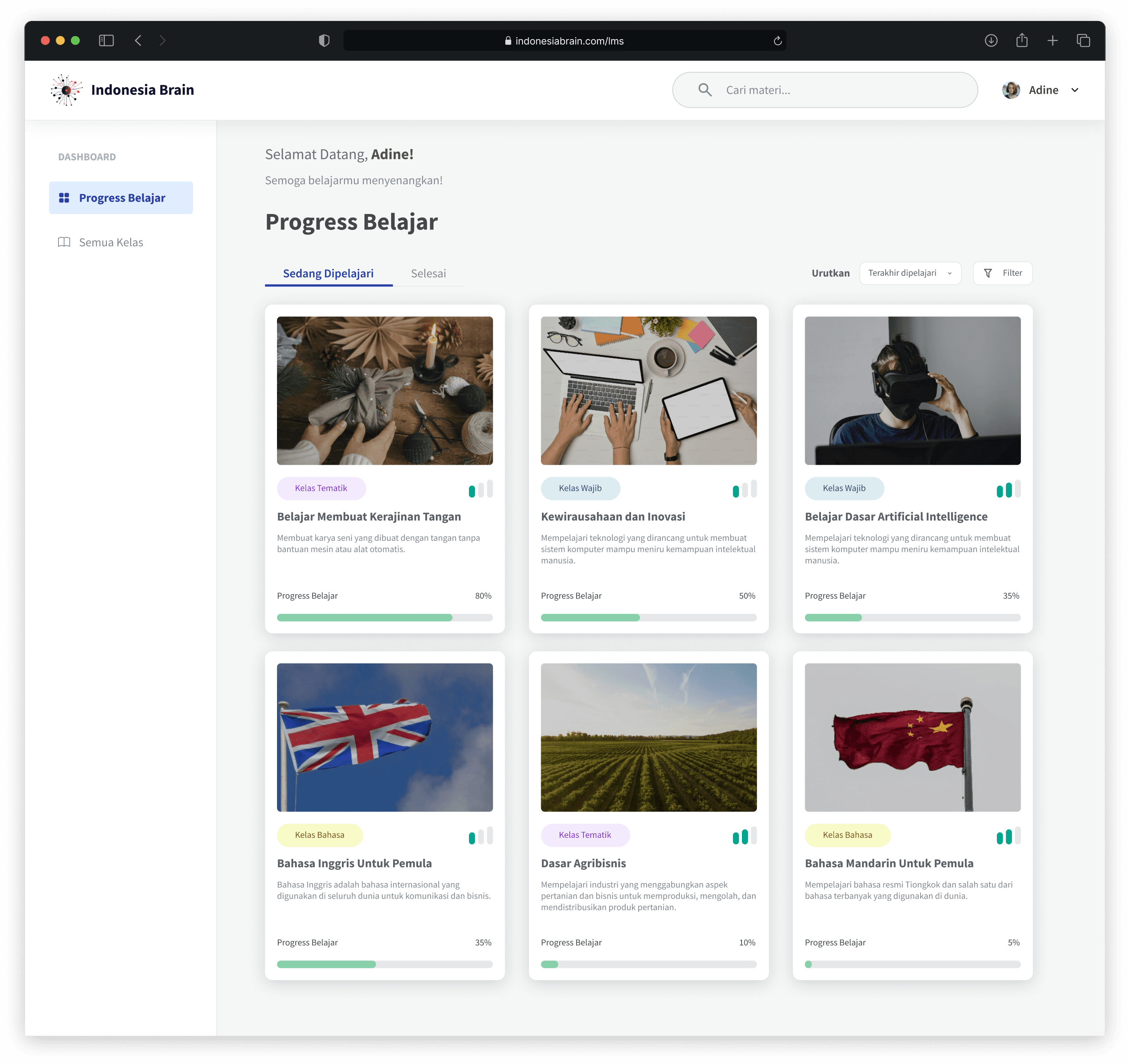
Sort & Filter
User is able to sort the lessons to last opened and alphabetically. User is also able to filter the lessons by class type and class level, enhancing content discoverability.
Progress Bar
The progress bar provides users with a clear visual representation of their progress, enhancing their learning experience.
Student
Class Overview Page
Course Information
This displays the course title, difficulty level, estimated duration, and the number of topics covered. Shows the last update date, indicating content freshness.
Main Topics
A list of topics is organized into sections with expandable/collapsible modules, each containing individual lessons or materials.
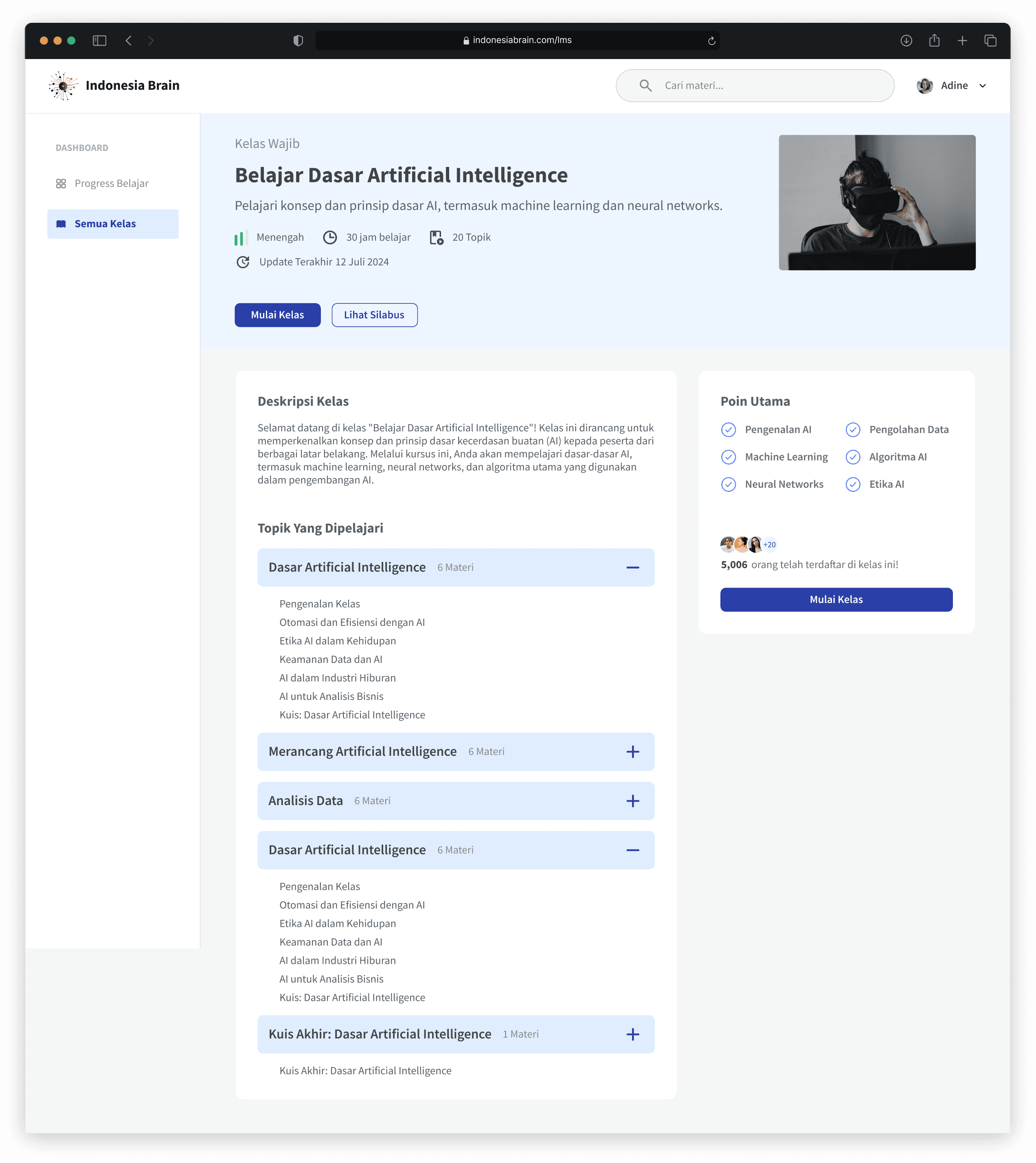
Key Points
Highlights essential concepts or themes covered in the course, giving users a quick overview of the primary focus areas.
Enrollment and Engagement
Shows the number of enrolled users, creating a sense of community and social proof for the course.
CTA “Mulai Kelas” (Start Class)
A prominent start class button on the side panel allows users to start the course easily.
Student
Lesson Viewer Page
Navigation Sidebar
The sidebar organizes lessons into collapsible sections or topics.
Progress Indicators
Each section includes progress tracking, helping users understand how much they have completed within a topic.
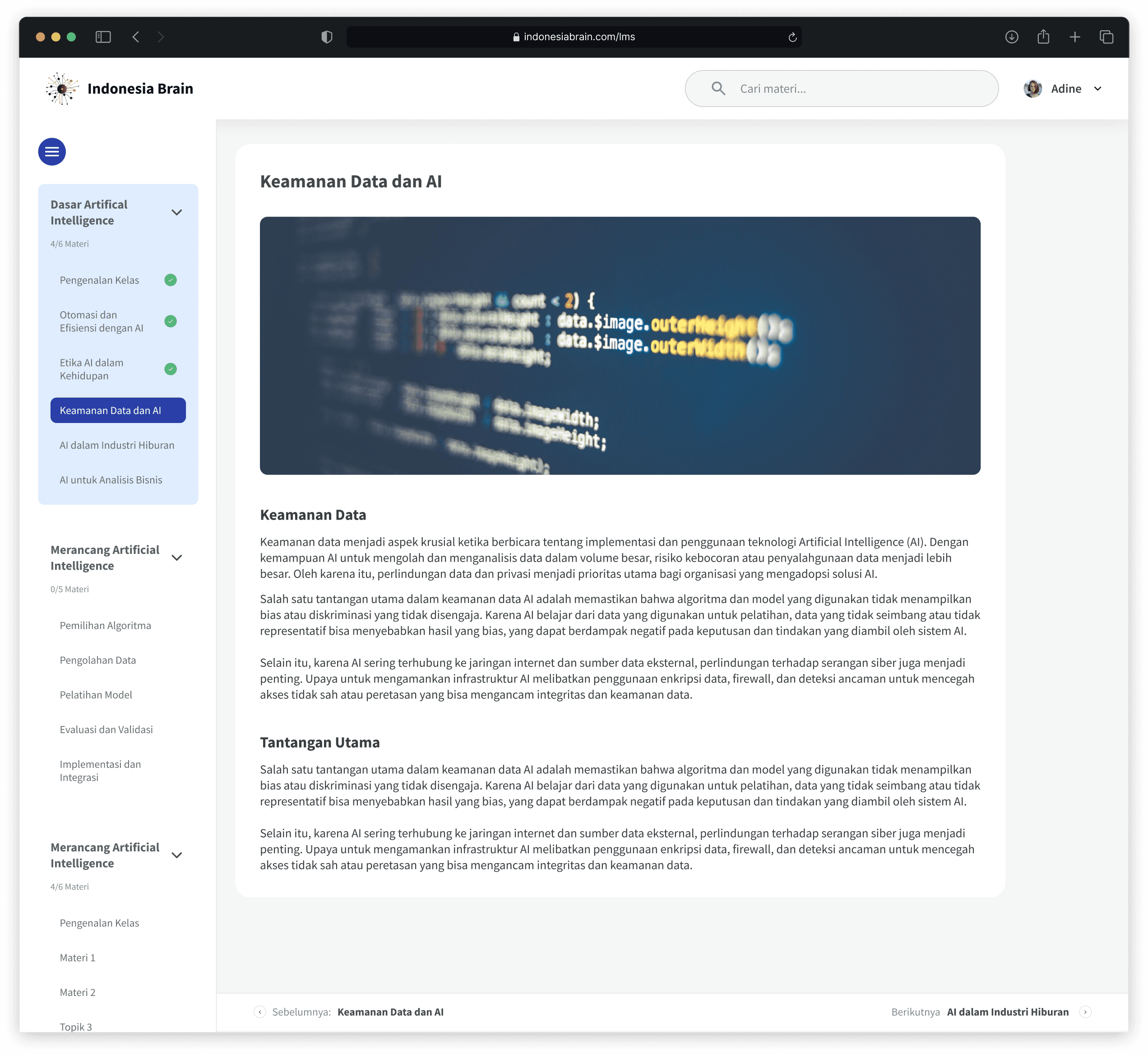
Title & Visuals
The lesson title, is clearly displayed at the top, with an accompanying visual like images, to enhance engagement.
Breadcrumbs
Breadcrumb navigation at the bottom keeps users aware of their current position within the course, making it easier to go back or move forward.
Pagination
At the bottom, navigation buttons allow users to move sequentially between lessons, offering a structured learning flow.
Student
Quiz Page
Progress Indicator
The progress indicator shows the current question number and the total number of questions, allowing users to quickly navigate between questions by clicking on a specific number. This makes it easier to review or change answers.
Question and Answers
The user is able to answer question in a multiple choice format. This ensures clarity and focus on the question at hand, enabling users to read and interpret the question without distraction.
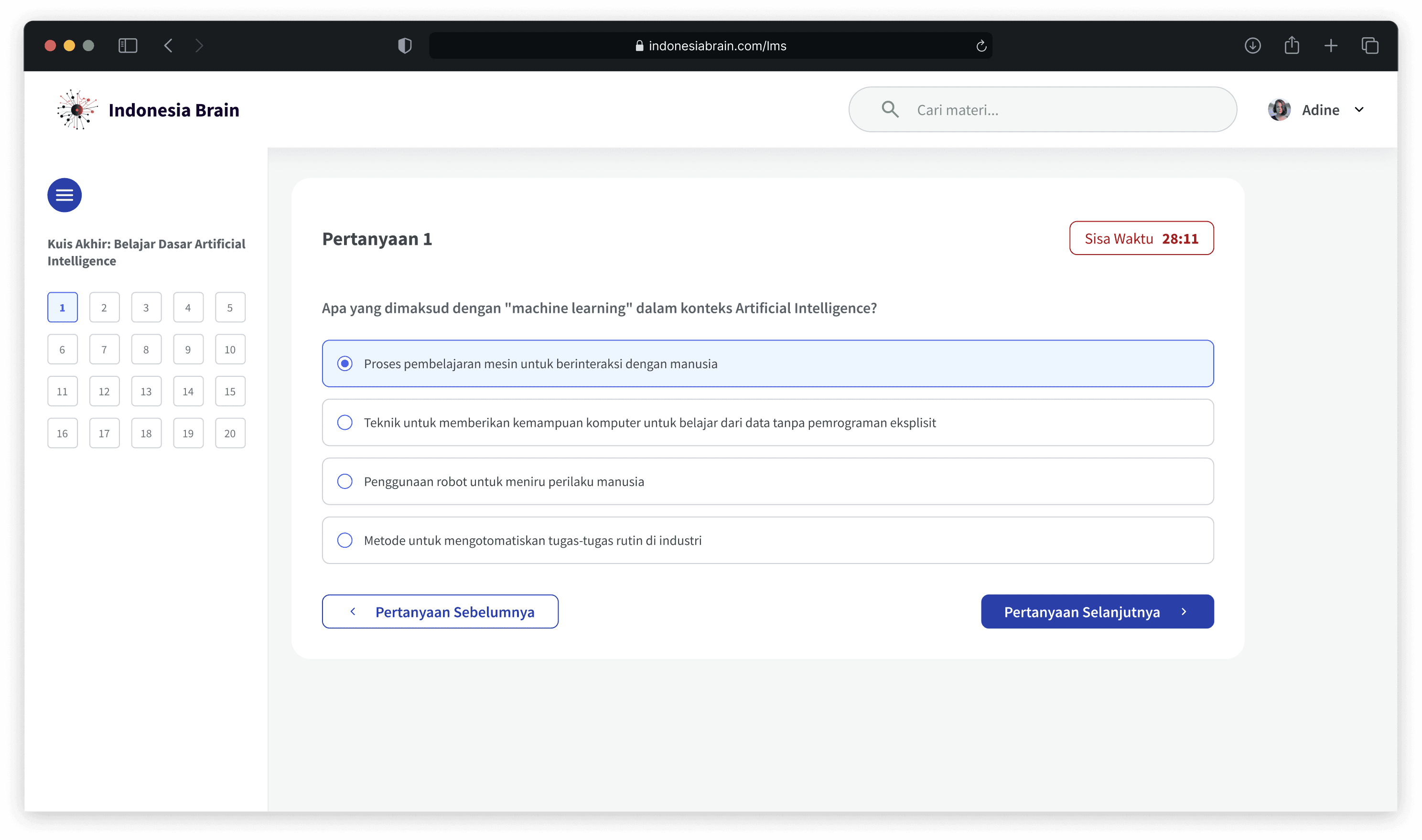
Timer
Displays the remaining time for the quiz, creating a sense of urgency and helping users manage their time effectively and reducing incomplete submissions.
Navigation Buttons
Buttons to navigate to the previous and next questions, enhancing the quiz-taking experience and ensuring a smooth, uninterrupted flow.
Admin
Course Creation Page
Topic Management
User is able to add new topic. Each topic contains modules and quiz. User is also able to organize the order of each topic through drag button. This makes it easier for users to manage and edit specific sections.
Breadcrumbs
Shows the path within the LMS, enabling the admin to track where they are within the dashboard hierarchy. This helps users quickly move back to previous sections, enhancing workflow efficiency.
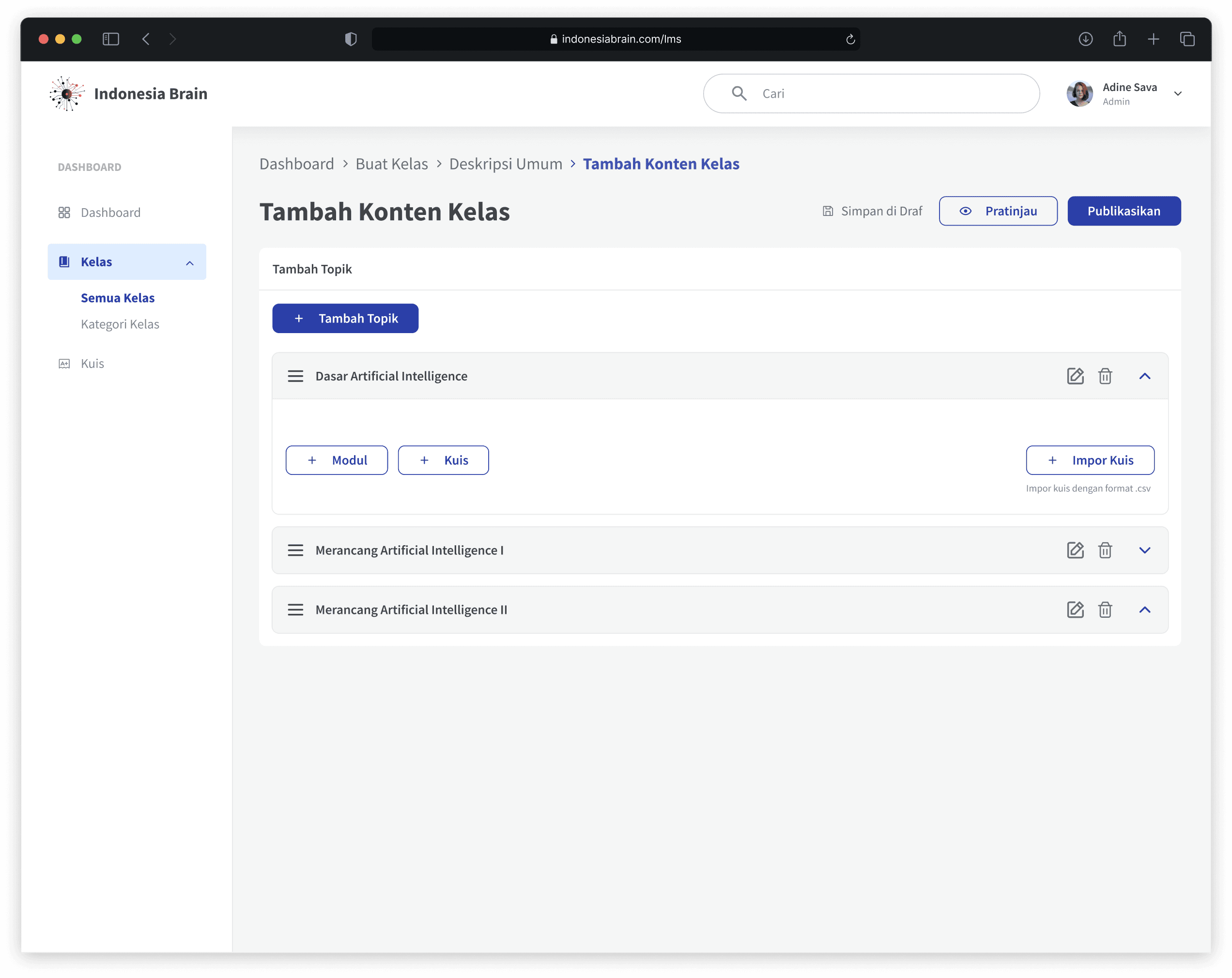
Collapse and Expand
User is able to add new topic. Each topic contains modules and quiz. User is also able to organize the order of each topic through drag button. This makes it easier for users to manage and edit specific sections.
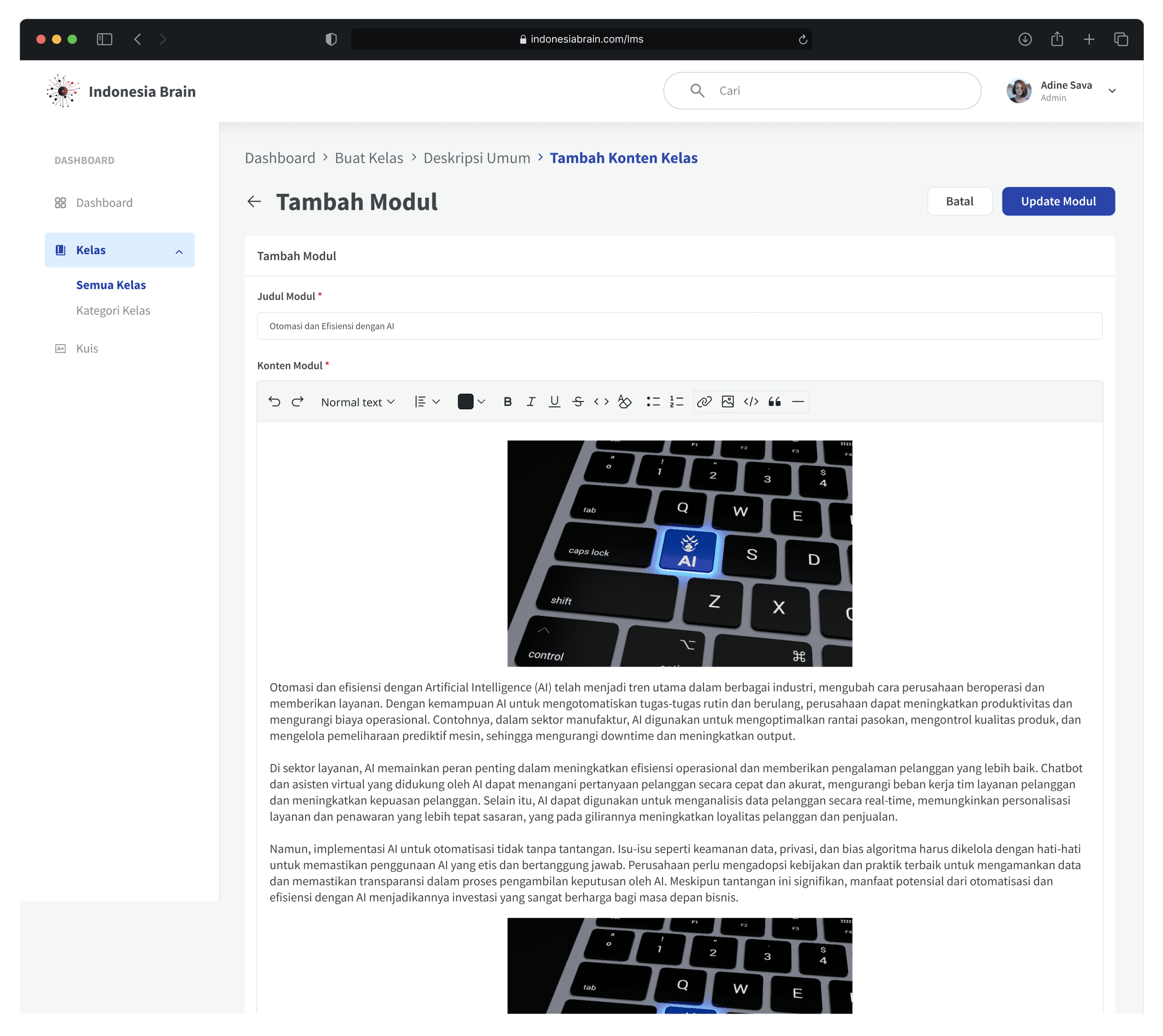
Content Editor
A rich text editor allowing users to add and format text, insert images, and other multimedia for the module content. This enables content customization and enhances the visual appeal and readability of educational materials, supporting a diverse range of content formats that can improve student engagement.
05 / Reflection
We reflect on the challenges encountered, the lessons learned, and the overall effectiveness of the proposed solutions in meeting the project's objectives.
Reflections
It’s really essential that when we’re designing, we have to put users first and align to their needs, wants and pain points. I have worked with dashboards, but designing a learning management system is an entirely new experience for me and it required a significant learning curve. Thus, it presents a new challenge especially during the product and desk research phase.
The product and desk research phases were particularly critical, demanding a thorough exploration of the educational landscape and the unique requirements of each user group. This experience significantly expanded my understanding of user-centered design within a complex, multi-stakeholder environment.
Beyond my design contributions, I had the opportunity of leading a small design team, which enhanced my collaborative and project management abilities. This role demanded a skill in fostering a productive team environment and delivering quality deliverables within the project's timeframe.
Thanks for reading! ✦